Anglers are already looking for water like yours
List free on DaarByt. You set the pricing, you approve every booking, and payouts land in your own bank account.
- Free to list
- No monthly fee
- 9% per booking, you or the guest

Why owners list
Bookings you can trust, on water you still run your way
DaarByt sends you anglers who are ready to pay. Everything else, pricing, availability, who fishes and when, stays with you.
Reach anglers already searching
Your location shows up when anglers search by species, region and stay type, not buried in a Facebook group.
Stay in control
You set pricing, approve bookings, and block dates the moment a spot is taken somewhere else.
Get paid, not chased
Anglers check out through Paystack. Payouts go straight to your own connected bank account.
Talk to guests before they arrive
Anglers message you from the listing before they book or arrive. One thread in DaarByt, no more digging through WhatsApp for who asked what.
Earn trust that compounds
Guests leave a review after a completed stay, and you can reply from your owner dashboard. Good water gets a track record anglers can see.
The owner dashboard
Everything you need to run the place, in one screen
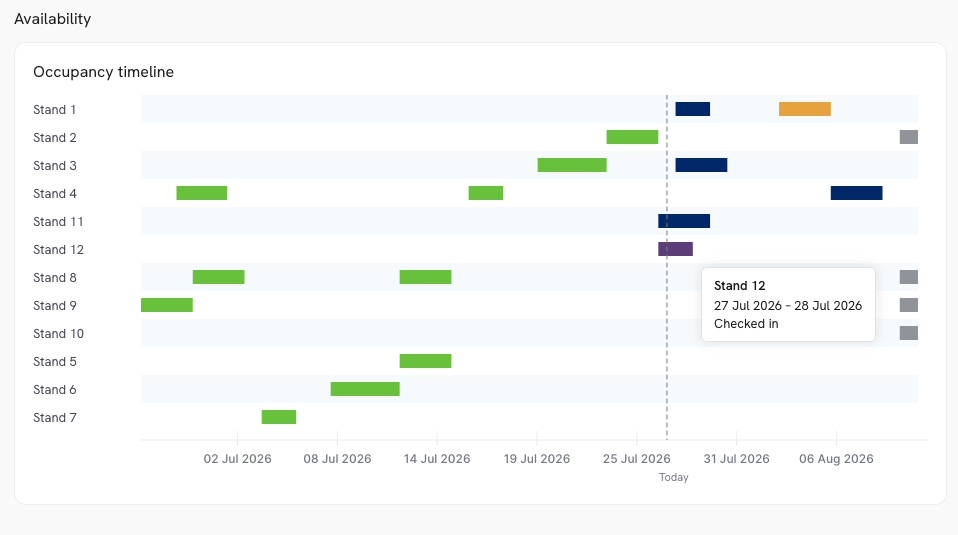
This is what you get the day your listing goes live: bookings, analytics, guest messages, and staff check-in on arrival. No spreadsheet, no WhatsApp scrollback.
Log book
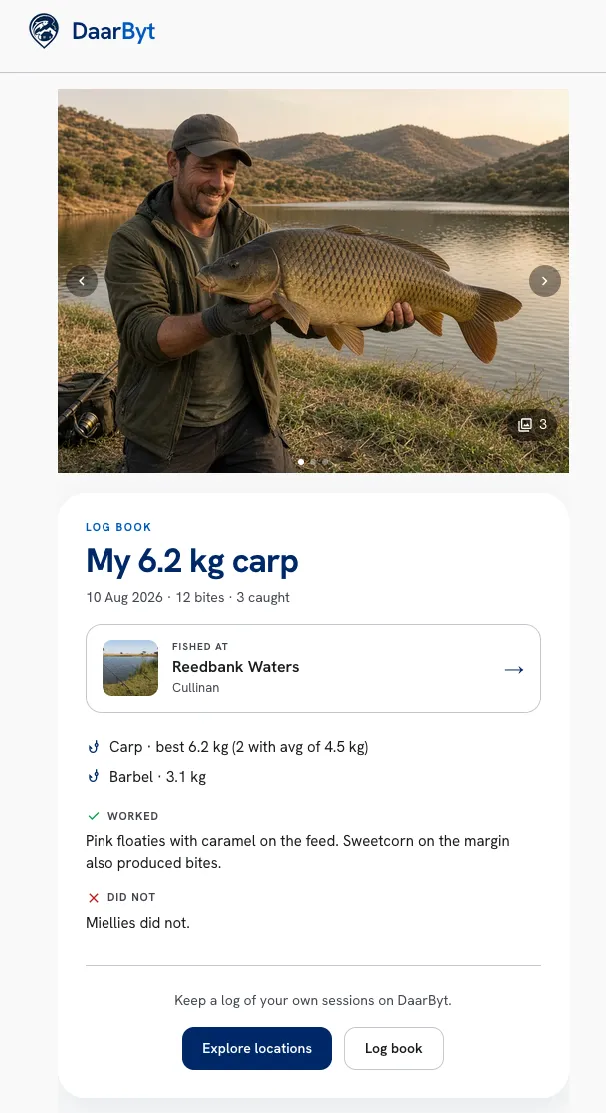
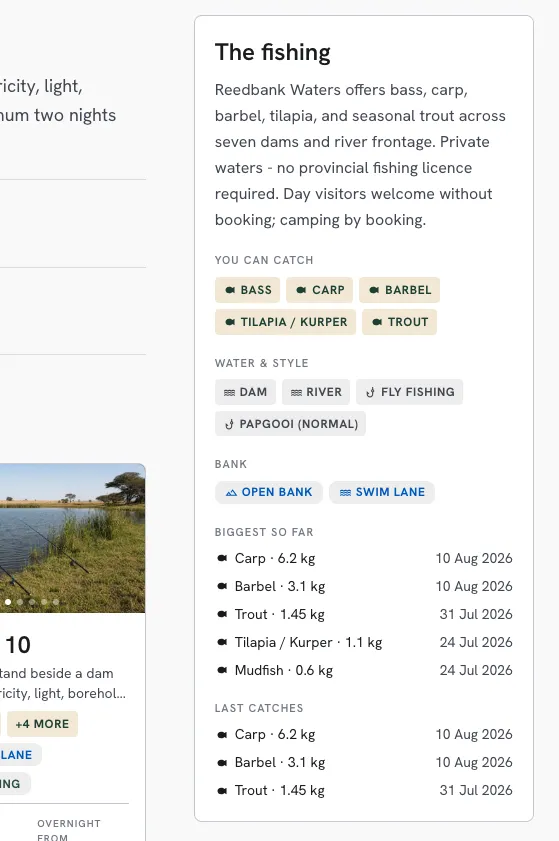
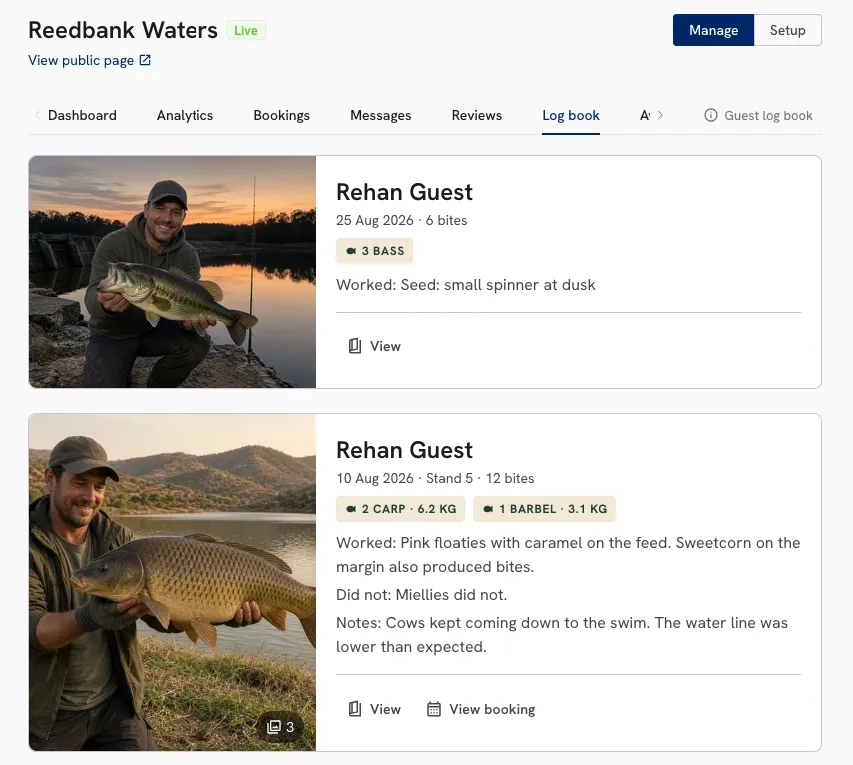
Guests log the session. Your listing shows the fish.
After a stay, anglers keep a log book. That record shows on your public page. You also get access to all guest log books from the dashboard.
Six steps
How you go live
Most owners finish the setup in an afternoon. Your listing stays private while you work on it, and until we approve it.
- 01
Create your owner account
Register as an owner and verify your email. Guest accounts cannot list.
- 02
Add your location
Name, address, map pin, contact details and what the fishing is actually like.
- 03
Set up spots and pricing
Add bookable units, choose how each one is allocated, and set your tariffs.
- 04
Add photos
Gallery photos are what anglers judge first. Water, stands, facilities, a good fish.
- 05
Connect your bank
Add your bank details in DaarByt. Required for payouts and before you can go live.
- 06
Request approval
Submit once your checklist passes. We review, then you're live and bookable.
Three decisions
Set it up the way you already run the place
Three choices. Channel and fee are per location. Allocation is per spot.
Where bookings come from
Already taking bookings by phone or on other platforms? Keep doing it, or hand everything to DaarByt.
Mixed
Run in parallelKeep phone, WhatsApp and other platforms running. Block dates on your DaarByt calendar when a spot goes elsewhere, so availability stays honest.
Good for: Moving off another system, or growing into DaarByt slowly
Exclusive
DaarByt onlyEverything goes through DaarByt. Turn on auto-accept and confirmed anglers move straight to payment without you lifting a finger.
Good for: One calendar, one set of payouts, no double-booking
How a spot is allocated
Every spot under your location uses one mode. You pick it when you set the spot up.
Capacity pool
Shared, daily capSeveral anglers can book the same spot up to a cap you set. Your calendar shows how many slots are gone.
Good for: Day-ticket water, open bank fishing, campsites with many sites
Dedicated stand
One bookingOne booking owns that named unit for the dates. It cannot be double-booked.
Good for: Numbered swim lanes, chalets, exclusive stands
Who covers the service fee
You choose per location, with the example of a R100 booking.
You cover it
Listed priceThe guest pays the price on your listing.
- Guest pays
- R100
- You receive
- R91
Good for: When you are able to cover the service fee comfortably, or raise your prices to absorb it. Recommended for a better guest experience.
Guest covers it
9% at checkoutThe fee is added at checkout. You keep the listed price.
- Guest pays
- R109
- You receive
- R100
Good for: When you want to list on DaarByt but don't want to raise your prices. Useful when you also take bookings off the platform.
Nothing slips
You'll know the moment something happens
We email you at every moment that matters, and the same update waits in your DaarByt notifications. Guests can reach you before they book, and vouch for you after they've fished.
Direct messaging
Guests message you from your public listing or about a booking. Conversations live in DaarByt, and you also get an email when they write.
Guest reviews
After a completed stay guests can rate and review the listing. Your reply from the owner dashboard shows on the public page.
Emails we send you
7- Go live
Listing approved
Your location is live on DaarByt.
- Action
New booking request
Review and approve or decline a booking.
- Inbox
New message
A guest asked a question about your location.
- Paid
Payment received
The guest has paid and the booking is confirmed.
- Open
Guest cancelled
The slot opens up again automatically.
- Expired
Request expired
A request timed out before you responded.
- Expired
Booking expired
A guest didn't pay in time after you approved.
Pricing
9%
service fee on bookings paid through DaarByt.
You cover it, or the guest does. No listing fee, no monthly fee, no risk.
- Listing your location
- Free
- Monthly subscription
- None
- Phone bookings you take yourself
- No fee
- Who covers the service fee
- You choose
- Payouts
- Your bank, via Paystack
FAQ
Common questions
What do I need before my listing goes live?
Complete your location details (name, description, address, phone, map pin, and fishing description), add gallery photos, set up spots with pricing, and connect your bank account for Paystack payouts. Your listing stays private while you work on it and until we approve it.
Capacity pool or dedicated stand?
Use a capacity pool when multiple anglers can share the same spot up to a daily cap (day-ticket water, open bank, multi-site camping). Use a dedicated stand when a booking should own a named unit (numbered swim lanes, chalets). When unsure, use a dedicated stand for named swim lane and a capacity pool for open water.
Who can list a location?
You need an owner account with a verified email. Register as an owner, then build your listing in the owner dashboard. Guest accounts are for booking only.
How long does approval take?
We review listings as soon as possible, usually within 4 days. You can keep editing while you wait.
Can I keep taking phone bookings?
Yes. In your location settings, choose mixed to run DaarByt alongside phone bookings and other platforms, or exclusive for DaarByt-only bookings.
Who pays the 9% service fee?
You choose per location. You cover it: guest pays your listed price, you receive 91%. Guest covers it: 9% is added at checkout, you receive the full stay. Phone bookings you take yourself have no fee.
Can guests message me and leave reviews?
Yes. Guests can message you from your public listing and about a booking, and you get an email when they write. After a completed stay they can rate and review the listing, and your reply from the owner dashboard shows on the public page.
What is the guest log book?
Guests log sessions after they fish: species, weights, tactics, and photos. Public pages show biggest so far and last catches from those logs. You see guest entries in Log book. Notes stay private unless they share them with the venue.
How does staff check-in work?
You set a staff unlock PIN on the location. On arrival day, staff open a shared check-in link with that PIN, then enter the guest’s 6-digit check-in code from their confirmation. Check-in is logged against the booking.
Your water is worth booking
Create your owner account and start building your listing. It costs nothing until an angler pays.